
Chat#
Squirro Chat is a powerful and user-friendly application designed to streamline your workflows with minimal setup required. It comes preconfigured with a carefully selected set of parameters, ensuring optimal performance right out of the box. To change these default settings, Squirro offers a web interface to control the configuration service, making it easy to adjust and fine-tune those parameters.
The server-level settings ensure that all projects have the same parameters by default.

The project-level settings, when configured, take precedence over the server-level ones.

Managing Agents#
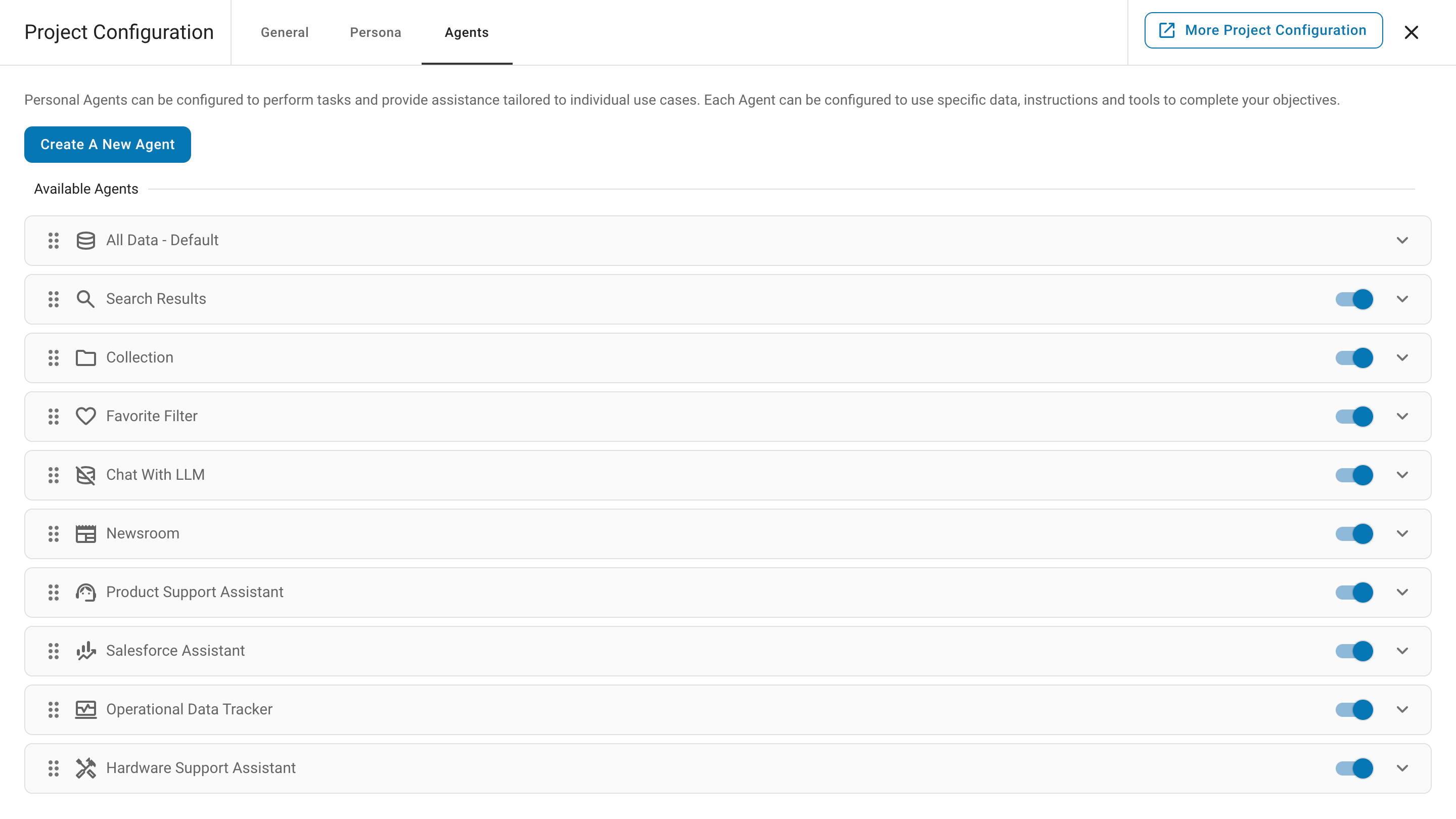
Squirro administrators can create new agents and manage existing ones, allowing for a high degree of customization and control.
Built-in Agents#
Squirro Chat comes with several pre-configured agents optimized for different use cases.
All Data#
General-purpose agent for querying and analyzing all data within a Squirro project. This default agent provides broad access to the entire content repository, making it ideal for exploratory searches, cross-document analysis, and general question-answering across your data collection.
Search Results#
Focused agent designed to analyze and answer questions based on search results. This agent works with documents that match specific search criteria, enabling targeted analysis of filtered content sets. Ideal for domain-specific inquiries and working with pre-filtered document collections.
Collection#
Organized agent for working with curated document collections or folders. This agent operates within the scope of specific collections, enabling focused analysis of grouped content. Ideal for working with organized document sets, project-specific content, or categorized information repositories.
Favorite Filter#
Personalized agent that works exclusively with favorited or bookmarked content. This agent provides quick access to documents marked as favorites by users, enabling efficient analysis of prioritized content. Ideal for working with frequently referenced documents, saved searches, or user-specific content preferences.
Chat with LLM#
Direct conversation agent that interacts with the language model without accessing Squirro data. This agent provides general-purpose AI assistance without document retrieval or grounding, relying solely on the LLM’s training knowledge. Ideal for general questions, brainstorming, content generation, or tasks that do not require specific document context.
Chat with Document#
Specialized agent for deep, contextual conversations with a single document. Ideal for document analysis, research, and detailed exploration of content. The system refers to this built-in agent as “Chat with Item”.
Developing Agents#
Developers can extend the capabilities of the Squirro Chat feature by creating custom tools using the Agent framework. Tools are specialized functions that agents can invoke to perform specific tasks such as data retrieval, content analysis, or integration with external services. Developers can build Python-based tools with configurable parameters and deploy them via the squirro_asset command. Once deployed, these tools become available in the agent configuration interface, where administrators can combine them to create powerful, customized agents tailored to specific use cases.
File Upload#
Upload files directly to Squirro Chat for ad-hoc document analysis. Chat documents without permanently indexing them. Files remain associated with the conversation and are automatically processed for quick analysis.
Prompt Library#
The Prompt Library enables users to create, save, and share reusable prompt templates for common tasks. Users can create personal prompts for their own use or project administrators can create shared prompts accessible to the entire team. Prompts can be organized by categories, and searched.
Query Limits#
Every Squirro instance carries a maximum number of questions that Squirro Chat answers, shared across all users and projects. Squirro Chat applies no per-user quota.
Starter Questions#
Starter Questions help users begin conversations by automatically generating relevant questions based on project content. The feature analyzes your data and suggests contextual questions that users can click to immediately start a conversation. You can combine automatically generated questions with custom questions for specific use cases.
Privacy Layer#
The system includes a robust privacy layer that automatically detects and masks sensitive information in both user queries and system responses, ensuring compliance with data protection requirements.
Guardrails#
Squirro Chat includes comprehensive AI guardrails to ensure responses are appropriate, accurate, and aligned with organizational policies. These include content filtering, response validation, and privacy protection measures.
Execution Details#
Squirro Chat supports detailed execution tracing and debugging capabilities. Use /trace or /trace-verbose commands to monitor query execution patterns, performance metrics, and system behavior during conversations.