
Starter Questions#
Starter Questions provide an interactive way to help users begin conversations with Squirro Chat. The feature automatically generates relevant questions based on the content and context of your project. Users can click on these questions to immediately start a conversation without needing to type their own query.
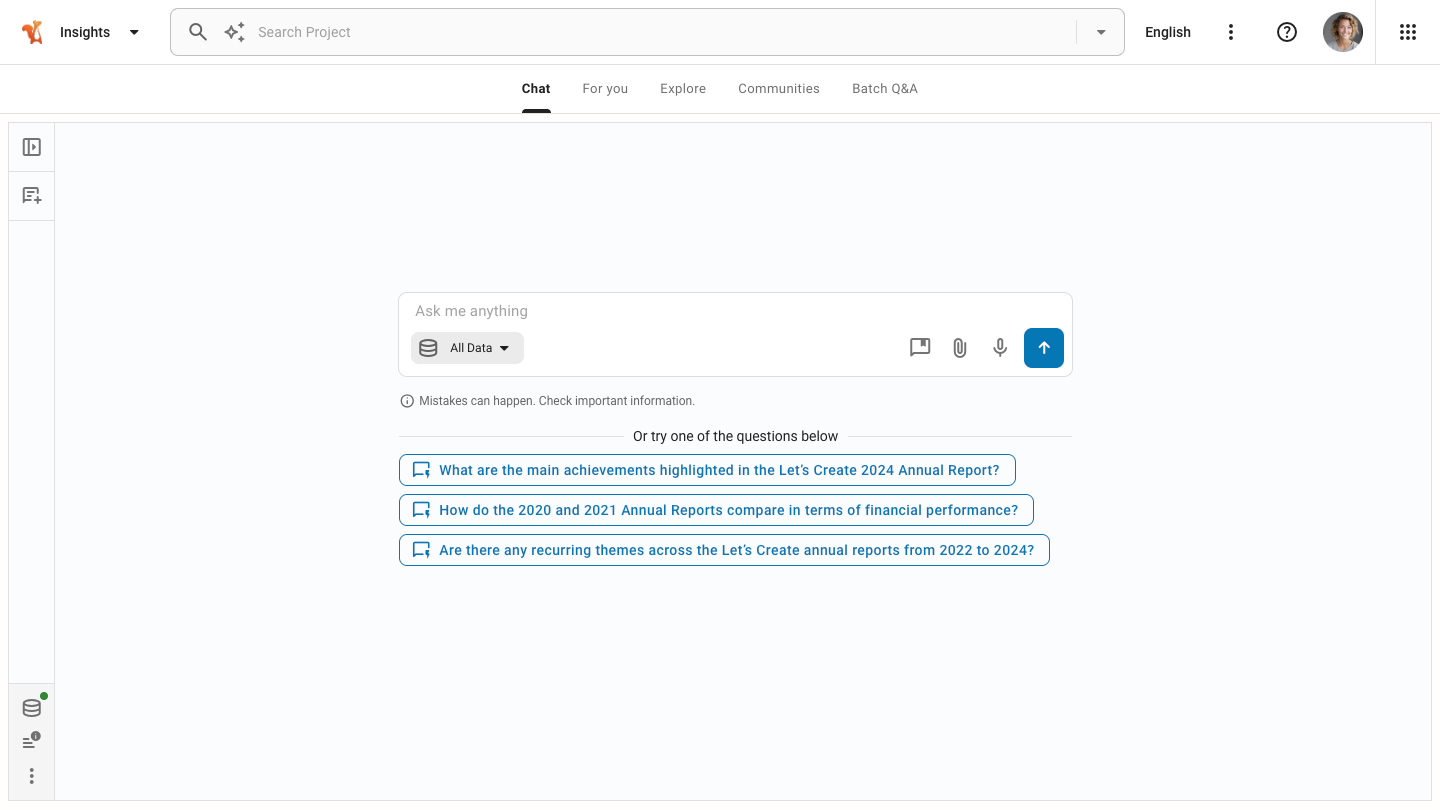
That feature is particularly useful when users are new to the project and need guidance on what to ask, when you want to showcase the types of insights available in your data, or when you want to demonstrate common use cases for your project.
How It Works#
Squirro uses the chat engine to generate starter questions automatically. The system analyzes document abstracts and summaries from your project to create relevant questions that reflect the content and themes present in your data.
The generation process:
Squirro retrieves document abstracts from the project.
The chat engine processes these abstracts using a language model.
The system generates up to 10 questions with a maximum of 15 words each.
The questions are displayed in the chat interface for users to select.
Configuration#
You can configure Starter Questions at multiple levels to suit your deployment needs:
Widget-level#
When adding a Chat widget to a dashboard, you can control whether Starter Questions appear for that specific widget.
Open the dashboard editor.
Select the Chat widget or add a new one.
In the widget properties panel, locate the Visualization section.
Select or clear the Show Starter Questions checkbox.
That setting controls automatically generated questions only. Custom questions depend on the widget copilot mode setting.
Note
Chat widgets have a Copilot property that affects which types of starter questions are available:
When copilot mode is turned on, only automatically generated questions appear.
When copilot mode is turned off, both automatically generated and custom questions can appear.
The widget-level copilot mode property overrides project-level custom question settings. If you turn on copilot mode at the widget level, custom questions will not appear even if configured at the project level.
Project-level#
You can set the default Starter Questions behavior for all chat instances within a project using the configuration service.
Open your Squirro project in your browser.
Navigate to the Setup space using the Spaces Navigation menu in the top-right of the page.
Click the Settings tab.
Click Project Configuration from the left sidebar menu.
Search for the
frontend.userapp.chat-preferencessetting.Click the edit icon to modify the configuration.
Set the
behaviour.enableStarterQuestionsproperty totrueorfalse.
In addition to automatically generated questions, you can define custom starter questions that always appear for the dashboard chat widgets.
To configure custom questions, follow these steps:
Navigate to Setup > Settings > Project Configuration.
Search for the
frontend.userapp.chat-preferencessetting.Click the edit icon to modify the configuration.
Add your custom questions to the
behaviour.starterQuestionsarray.
You can also manage custom questions using the Embed Digital Assistant UI instead of editing the configuration directly. Both methods update the same frontend.userapp.chat-preferences project setting.
Note
When both custom and automatically generated questions are configured, custom questions appear first, followed by automatically generated questions.
That configuration provides the default behavior for all chat instances in the project. Individual widgets can override the automatically generated questions setting using the widget-level Show Starter Questions checkbox.
Embedded chat#
When you embed Squirro Chat on your website, you can manage custom starter questions through the Behaviour tab of the Embed Digital Assistant. That UI is an alternative to editing the project configuration directly.
To configure Starter Questions for embedded chat:
Open your Squirro Chat project.
Start the Embed Digital Assistant.
Select your preferred embedding option (floating button, iFrame, or target button).
Navigate to the Behaviour tab.
In the Starter Questions section, turn on the toggle to show starter questions.
Click + Add Another Question to add a custom question.
To remove a question, click the delete icon next to it.
Click Save Changes to apply your configuration.
Note
The Embed Digital Assistant supports custom questions only. Automatically generated questions are not available for the embedded chat.
For detailed information about embedding Squirro Chat, see the Squirro Chat Web Quick-Start Guide page.